
Use permission-based, 20–30 second openers plus one clear next-step ask. These three scripts will book meetings today.
Script 1: Appointment setter (first touch)
Script 2: Trigger-event opener
Script 3: Voicemail
The rule for all three: permission-based openers ask for time before taking it, state a reason, and close with two specific options, not an open-ended “let me know.”
Pro Tip: Write your value phrase in one sentence before you dial. If you can’t say what outcome you create in under 10 words, the prospect won’t be able to either.
Table of Contents
- What cold calling actually is and when it beats email
- Ready-to-use cold call script templates, grouped by use case
- How to personalize scripts without losing your place
- How to handle the most common objections
- How to measure and A/B test your scripts
- Scaling script-driven outreach with automation and AI
- The four stages of a cold call and what to say at each one
- Key Takeaways
- The part of cold calling most guides get wrong
- How Crono helps you turn these scripts into a repeatable system
- Useful sources and further reading
What cold calling actually is and when it beats email
Cold calling is the practice of calling a prospect who has not previously expressed interest, with the primary goal of qualifying them and booking a next step, usually a meeting or demo. The call itself is rarely where a deal closes. Its job is to earn 15 minutes.
Cold calls outperform email and LinkedIn in three specific situations: high-value accounts where a reply is worth the effort, trigger events where timing is everything (a funding round, a new hire, a product launch), and rapid qualification where you need a yes or no fast. A well-timed call after a prospect opens your email twice in one hour will outperform any follow-up sequence.
The three C’s that anchor every effective opener are confidence, clarity, and conciseness. Confidence means no upward inflection on your name. Clarity means the prospect knows who you are and why you called within the first 10 seconds. Conciseness means you stop talking before they want to hang up. Crono’s workflow surfaces intent signals and trigger events before a rep dials, so those three principles are easier to execute when you already know why this call is relevant today.
Ready-to-use cold call script templates, grouped by use case
Template libraries grouped by use case are the fastest way to match the right message to the right moment in your daily call list. The templates below are organized by scenario. Each one includes a short note on when to use it and the exact ask to close.
First-touch appointment setting
When to use: No prior contact. Prospect fits your ICP.
Persona: VP or Director-level buyer at a mid-market company.

The ask: Always two calendar options, never “whenever works for you.”
Follow-up after an email
When to use: You sent an email 24–48 hours ago and got no reply.
Persona: Any decision-maker or economic buyer.
Demo booking (warm-ish prospect)
When to use: Prospect engaged with content, attended a webinar, or was referred internally.
Persona: Mid-level champion or technical evaluator.
Referral or intro call
When to use: A mutual contact suggested you reach out.
Persona: Any level — referral context elevates trust immediately.
Gatekeeper script
When to use: You reach an assistant or receptionist before the decision-maker.
Persona: Executive assistant, office manager, or front desk.
Keep it short and direct. Gatekeepers respond to specificity, not charm. Avoid vague phrases like “I have an important business matter.”
Voicemail script
Short voicemail messages that reference a prior email and state a concise value hook get more callbacks than long, generic ones.
Keep it under 20 seconds. Mention the email. State the value. Give a callback number. Done.
Roleplay example: first-touch appointment script
Here’s how a strong opener plays out in practice, including the silence that matters most:
Rep: “Hi Sarah, this is Marcus from Acme. I’ll be honest — this is a cold call. Can I take 20 seconds?”
Prospect: “Sure, go ahead.”
Rep: “We help VP Sales teams at SaaS companies cut time-to-first-meeting by getting reps on the right accounts faster. I think there’s something here for [Company]. Do you have 15 minutes Thursday, or is Friday better?”
Prospect: “What exactly do you do?”
Rep: “Great question — that’s exactly what the 15 minutes is for. Thursday at 2 PM, or Friday morning?”
“The goal of a cold call is not to explain everything. It’s to earn the next conversation.” — Alex Berman
Notice the rep’s second response: a short answer, then immediately back to the two-option close. Short roleplay examples like this one show the cadence and deliberate silence that pull a yes out of a prospect.
Pro Tip: Record yourself reading each script aloud. If you stumble on a phrase, the prospect will hear it too. Smooth delivery comes from rehearsal, not from reading the script during the call.
How to personalize scripts without losing your place
Scripts should be treated as flexible frameworks, not word-for-word teleprompters. The structure keeps your message consistent; the personalization makes it land.
60–90 second pre-call research checklist
Before you dial, check four things:
- Firmographics: Company size, industry, growth stage. Confirms ICP fit.
- Trigger event: Recent funding, hiring surge, leadership change, product launch. This is your opening line.
- Role context: What does this person own? What does their team care about? Match your outcome to their KPIs.
- Recent news: Press release, LinkedIn post, earnings call. One specific reference beats ten generic ones.
Three personalization patterns that fit any opener
- Referential line: “I saw [Company] just [trigger event] — that’s exactly the stage where our clients see the most traction.”
- Data hook: “Teams your size typically [specific pain or outcome]. We’ve seen that change fast with [your solution].”
- Shared context: “I work with a lot of [role] teams in [industry], and the challenge I hear most is [pain point]. Is that on your radar?”
Insert one of these after your permission ask and before your value statement. One line of personalization is enough. Three lines sounds like a pitch deck.
When to abandon the script entirely
Go off-script when the prospect starts sharing real pain. If they say “actually, we’ve been struggling with X,” stop. Ask one open question and listen. The script’s job was to get them talking; once they are, your job is to follow the conversation, not the template. Signs to pivot: they ask a specific question, they mention a competitor, or they volunteer a timeline.
Pro Tip: Use micro-questions to hand control back to the prospect: “Does that resonate with what you’re seeing?” or “Is that a priority for your team right now?” One question, then silence. Silence is not awkward — it’s the space where the prospect decides to trust you.
Pairing your calls with a multichannel outreach strategy means your personalization research serves the email, the LinkedIn touch, and the call simultaneously, not just one channel.
How to handle the most common objections
Every rep hears the same eight objections. The goal is not to overcome them with a clever line — it’s to acknowledge, pivot with one question, and earn a micro-commitment. That’s the recovery framework: acknowledge → one-question pivot → micro-commitment.
Top objections and short rebuttals
“Send me an email.”
“Absolutely. Before I do, can I ask one quick question so I send you something actually relevant? What’s the biggest challenge your team is dealing with right now in [area]?”
“We already have a solution for that.”
“That makes sense — most teams we work with did too. The question is usually whether it’s doing [specific outcome] well enough. Is that something you’d be open to a quick comparison on?”
“No budget right now.”
“Totally fair. Budget cycles are tight. Is this something that’s on the roadmap for next quarter, or is it more of a back-burner priority? I want to make sure I follow up at the right time.”
“Now’s not a good time.”
“I get it. When would be a better time — is next week more realistic, or are we talking next month?”
“I’m not the right person.”
“I appreciate you saying that. Who on your team would own [specific area]? I want to make sure I’m talking to the right person.”
“We’re happy with what we have.”
“Good to hear. Most of our best customers said the same thing before they saw [specific differentiator]. Would a 15-minute comparison be worth your time, even just to benchmark?”
“I’ve never heard of you.”
“That’s fair — we’re newer in this space. We work with [reference customer type] to [outcome]. Would a quick intro call be worth 15 minutes to see if there’s a fit?”
“Call me back in six months.”
“I can do that. Can I ask what changes between now and then? I want to make sure the timing actually makes sense when I follow up.”
Gatekeeper recovery lines
When a gatekeeper pushes back, keep it brief:
- “I completely understand. Could you let [Name] know I called and that I’ll send a short email today?”
- “Is there a better time to reach [Name] directly?”
- “Who else on the team handles [specific area] — is there someone I should speak with in the meantime?”
The micro-commitment close
Every rebuttal ends with a specific ask, not an open door. “Let me know if things change” is not a close. “Can I follow up on [specific date]?” is. Always name the date, the channel, and the topic.
How to measure and A/B test your scripts
Knowing which scripts work means tracking the right numbers and running structured tests. Gut feel is not a KPI.
Core KPIs to track
| KPI | Definition | How to Measure | Suggested Benchmark |
|---|---|---|---|
| Connect rate | Calls that reach a live person / total dials | Dialer or CRM log | 15% |
| Permission-to-continue rate | Prospects who say yes to the opener / connects | Call recording review | 40% |
| Yes-to-next-step rate | Prospects who agree to a meeting / connects | CRM disposition | 10–20% |
| Meetings booked per call block | Total meetings / call sessions | CRM pipeline | 1–3 per hour |
| Meeting-to-opportunity conversion | Meetings that become qualified opps / meetings held | CRM stage tracking | 30% |
A simple A/B test for openers
A practical A/B test for openers runs 500 calls per variant to detect a 5–8% absolute difference in connect-to-meeting rate. Track meetings booked within 7 days as the primary outcome and meetings attended within 30 days as the quality metric.
- Define the hypothesis: “Permission-based opener A (‘Can I take 20 seconds?’) will produce a higher yes-to-next-step rate than traditional opener B (‘Is now a bad time?’).”
- Split the list: Randomly assign accounts to variant A or B. Same rep, same time block, same ICP segment.
- Run for two weeks: Aim for 500 calls per variant before drawing conclusions.
- Measure: Connect rate, permission-to-continue rate, meetings booked within 7 days.
- Decide: If variant A outperforms by 5% or more, retire variant B and test a new challenger.
Timing experiments
Call timing affects connect rates more than most reps realize. Wednesday and Thursday between 8–9 AM and 4–5 PM local time tend to produce the highest connect rates in B2B outreach. Voicemail timing matters too: leaving a voicemail on Tuesday or Wednesday morning, paired with an email sent within the same hour, increases callback rates compared to voicemails left on Monday or Friday afternoon.
Test one variable at a time. If you change the opener and the call time simultaneously, you won’t know which drove the result.
Scaling script-driven outreach with automation and AI
A great script library sitting in a shared Google Doc is a starting point, not a system. Scaling requires a repeatable workflow where the right template reaches the right rep at the right moment, and results feed back into the library automatically.
A 6-step operational workflow
- Prospect selection: Use intent signals and firmographic filters to build a prioritized call list. Trigger events (funding, hiring, product launches) go to the top.
- Script template assignment: Tag each template by use case, persona, and ICP segment. Automate assignment so reps see the right script in their dialer for each account, not a generic one. Tagging each template with use case, target persona, last-tested date, owner, and primary KPI makes this automation possible.
- AI-assisted personalization: Pull one trigger event or firmographic detail per account and pre-populate the referential line in the opener. Reps review and adjust; they don’t start from scratch.
- Call + CRM logging: Log disposition, talk time, and outcome in real time. Record calls for coaching review. Every call outcome feeds the KPI dashboard.
- Automated follow-up cadence: A voicemail triggers an email within the same hour. A “call me back in six months” triggers a timed re-engagement sequence. No manual follow-up steps fall through the cracks. Pairing your call cadence with a strong follow-up email sequence keeps the conversation alive between touchpoints.
- Coaching and re-training loop: Weekly, managers review call recordings flagged by automated scoring. Scripts that underperform against their KPI benchmark get updated or retired. High-performing calls become training examples.
SDR vs. manager role split
SDR actions: Execute calls using assigned templates, log outcomes in CRM, flag objections they couldn’t handle, and submit script feedback weekly.
Manager/coach actions: Review flagged recordings, update the script library, run A/B tests, and track KPI trends by template and rep. AI-assisted call coaching tools can automate the scoring layer, surfacing which calls to review without a manager listening to every recording.
“Treat your script library as a team-level living document: record performance per template and retire or update lines that underperform after a defined test period.” — Vengreso
Pro Tip: Set a 30-day review cadence for every active template. If a script’s yes-to-next-step rate drops below your benchmark for two consecutive weeks, flag it for revision before it drags down the whole team’s numbers.
For teams exploring how AI agents can handle parts of this workflow, deploying AI in B2B outreach is a practical next step beyond manual cadence management.
The four stages of a cold call and what to say at each one
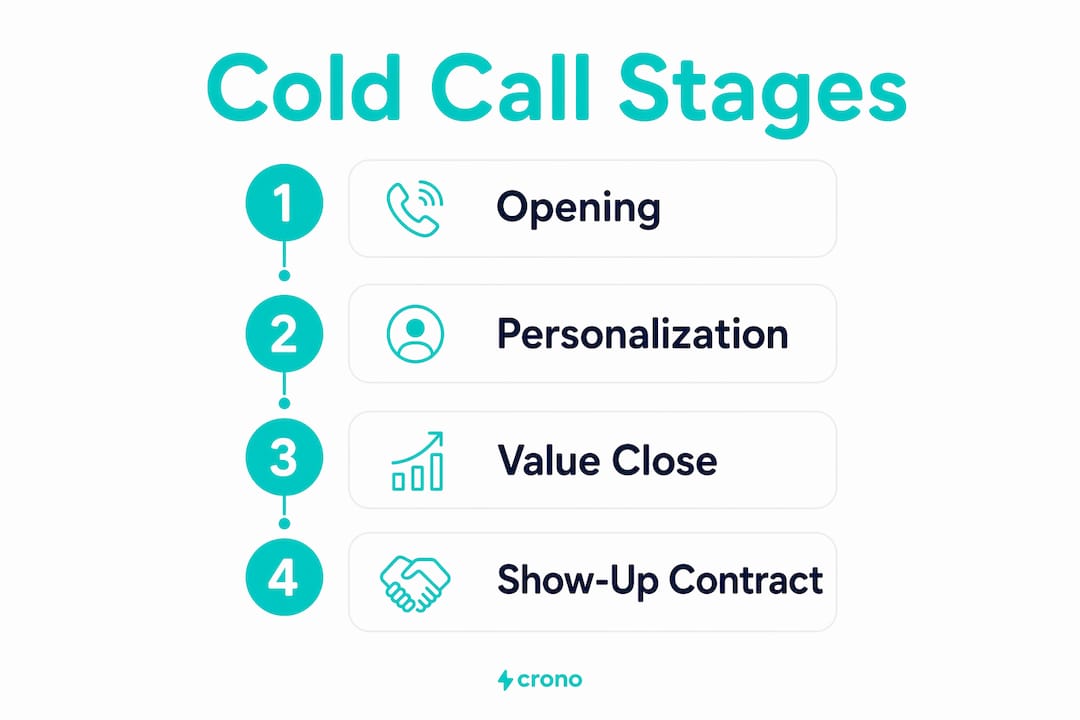
Every cold call moves through four stages. Most reps lose the call by rushing from stage one to stage three and skipping stage two entirely. A 4-part script framework maps cleanly to modern B2B calls: opening and purpose, personal layer and discovery, the value close, and the show-up contract.
Stage 1: Opening and purpose (0–15 seconds)
Your only goal here is permission to continue. State your name, your company, and why you’re calling in one sentence. Then ask. Do not pitch. Do not list features. Do not ask “How are you today?” Senior buyers recognize fake rapport immediately, and being transparent about the call’s nature disarms them far more effectively than small talk.
Script focus: Permission ask + one-sentence reason.
Stage 2: Personal layer and discovery (15–60 seconds)
Once you have permission, insert your personalization line (trigger event, referential detail, or data hook), then ask one discovery question. This is where most reps rush to pitch. Don’t. The question does the work. “What’s the biggest challenge your team is dealing with in [area] right now?” gives you everything you need to make the pitch relevant.
Script focus: One personalization line + one open discovery question + silence.
Stage 3: Value close (60–90 seconds)
Connect what the prospect just told you to the outcome you deliver. Keep it to two sentences. “Based on what you just said, we help teams like yours [specific outcome]. That’s exactly what I’d want to show you in 15 minutes.” This is the WIIFM (what’s in it for me) moment. Make it about their words, not your product.
Script focus: Reflect their pain + state your outcome + transition to the ask.
Stage 4: Show-up contract (final 30 seconds)
Book the meeting with two specific options. Confirm the date, time, and format. Then confirm again: “I’ll send a calendar invite to [email] — does that work?” This is the show-up contract. Prospects who confirm twice are significantly more likely to attend. If they hesitate, handle the objection and re-close with the same two-option structure.
Script focus: Two calendar options + confirmation + invite sent.
Key Takeaways
Permission-based openers, one-line personalization, and a two-option close are the three mechanics that move a cold call from a dial to a booked meeting.
| Point | Details |
|---|---|
| Use permission-based openers | Ask for 20–30 seconds before pitching; this increases the chance a senior buyer stays on the line. |
| Personalize one line per call | A trigger event or role-specific pain reference makes your opener relevant without adding prep time. |
| Always close with two options | “Thursday or Friday?” outperforms “let me know when works” every time. |
| Measure connect-to-meeting rate | Track yes-to-next-step rate and meetings booked per call block weekly; iterate on underperforming templates. |
| Crono operationalizes the workflow | Crono connects intent signals, AI personalization, cadence automation, and call coaching into one execution layer for B2B teams. |
The part of cold calling most guides get wrong
Cold calling advice tends to cluster around two poles: “scripts kill authenticity” on one side, and “follow the script word for word” on the other. Both miss the point.
The reps who consistently book meetings treat their scripts the way a jazz musician treats chord changes. The structure is fixed. The expression within it is not. A permission-based opener is not a constraint; it’s a frame that gives the prospect a reason to stay on the line while giving the rep a reliable starting point. What happens after the permission ask is where skill, listening, and genuine curiosity take over.
What most guides also underestimate is the role of silence. After a discovery question, most reps fill the gap within two seconds. The prospect was about to say something real. Silence after “What’s the biggest challenge your team is dealing with right now?” is not awkward; it’s where the prospect decides whether to trust you with the actual answer. Reps who learn to wait five seconds consistently hear more useful information than reps who rush to the next line.
The other thing worth saying plainly: cold calling at scale without a system is just noise. Scripts without measurement are guesswork. Measurement without a coaching loop is data you never act on. The teams that build predictable pipeline from cold outreach treat scripts as living documents, test openers the way product teams test features, and use tools like Crono to close the loop between what reps say and what actually books meetings.
How Crono helps you turn these scripts into a repeatable system
Scripts alone don’t build pipeline. Execution does.
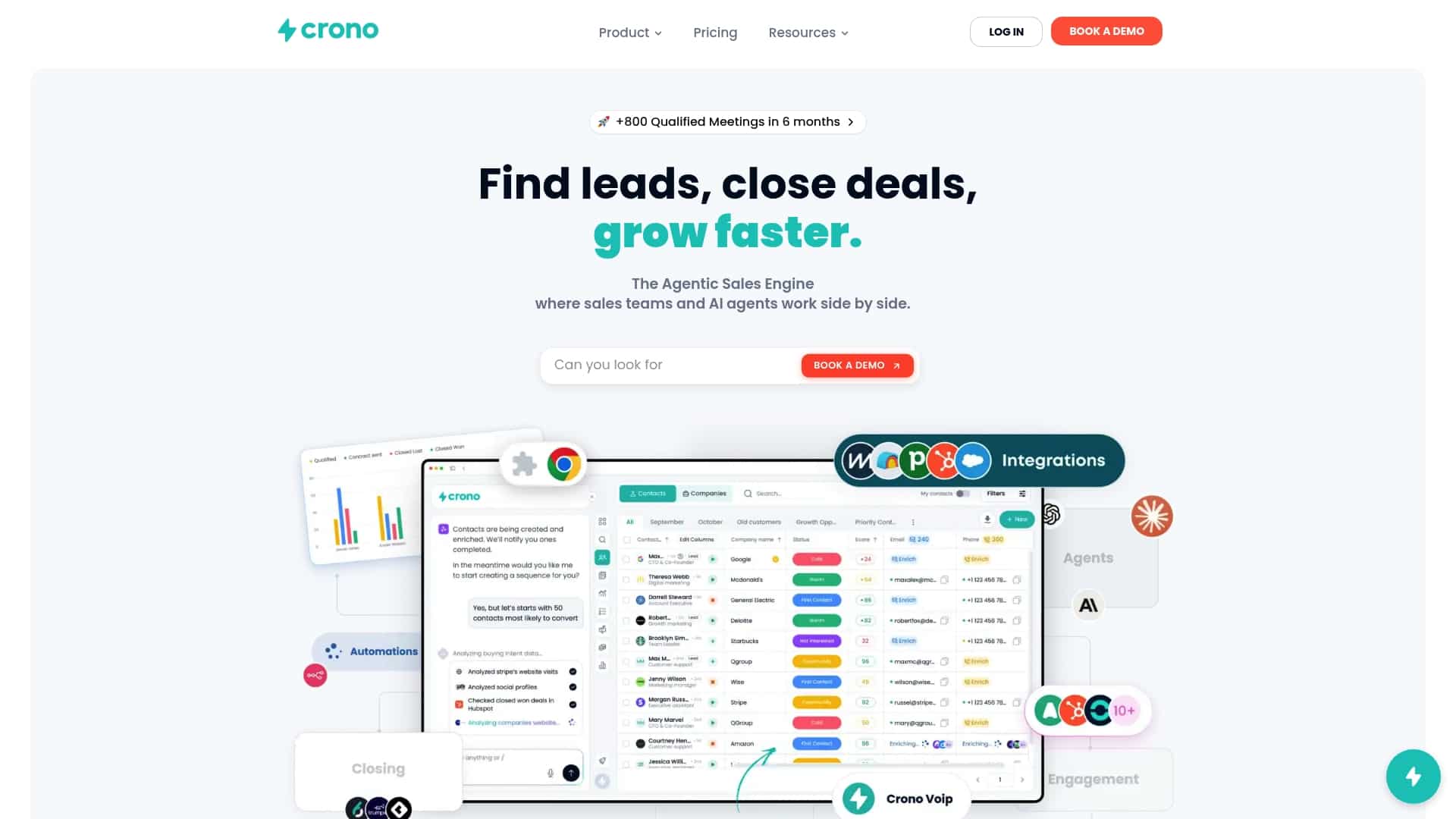
Crono is the sales execution layer that connects your script library to the full outbound workflow: intent signals surface the right accounts before a rep dials, AI-assisted personalization pre-populates the trigger-event line in each opener, and automated cadences send the follow-up email within the same hour as the voicemail. Call outcomes log directly to your CRM, and automated scoring flags the recordings worth coaching on, so managers spend time on the calls that actually move the needle.
For SDR teams, that means fewer dropped follow-ups and more qualified demos booked. For managers, it means a script library that improves every 30 days instead of sitting static in a shared doc. If you want to see how the 6-step workflow above maps to a live team, the B2B sales engagement guide is the right starting point. Ready to put these scripts into a system that scales? Explore Crono and see how your team can go from dial to booked meeting faster.
Useful sources and further reading
The sources below informed the templates, frameworks, and testing guidance in this article. Each one is worth bookmarking for ongoing script development.
| Source | Why it’s useful |
|---|---|
| CUFinder: Real-Life Cold Calling Examples | Real call transcripts and analysis of permission-based openers; strong for voicemail and gatekeeper examples. |
| Alex Berman: Cold Call Examples That Book Meetings | Roleplay-style examples with rep and prospect lines; includes practical A/B test design for openers. |
| Vengreso: Essential Cold Calling Scripts | 4-part framework for call stages; good operational guidance on treating scripts as living team documents. |
| Pipedrive: Cold Calling Scripts & Tips | Large template library organized by use case; useful for building a grouped script collection. |
| ZoomInfo Pipeline: Cold Calling Scripts for 2026 | Covers the three C’s framework and script flexibility principles; strong for manager-level guidance. |
| Crono: Cold Calling in 2026 | AI-assisted openers and why the first 10 seconds determine call outcomes; directly applicable to the templates above. |
| Crono: B2B Cold Outreach Strategies | Multichannel prospecting strategies that complement cold calling; useful for building call-plus-email sequences. |
| LinkedIn Marketing Tools for B2B Growth | Covers LinkedIn tactics that pair with cold calling for multichannel outreach; practical for teams running parallel channels. |
A note on testing: The A/B plan in the measurement section above is the fastest way to validate which scripts in this library work for your specific ICP. Run it for two weeks, track meetings booked within 7 days, and update your library based on what the data shows, not what sounds best in a team meeting.
